We compare Apple Silicon and NVIDIA GPUs for local AI, using an M5 Mac with 64GB memory and an RTX 5090 with 32GB VRAM to test speed, model size, fine-tuning, power, and cost.

The Truth About Mac vs. NVIDIA for AI: We Tested M5 64GB vs RTX 5090 32GB
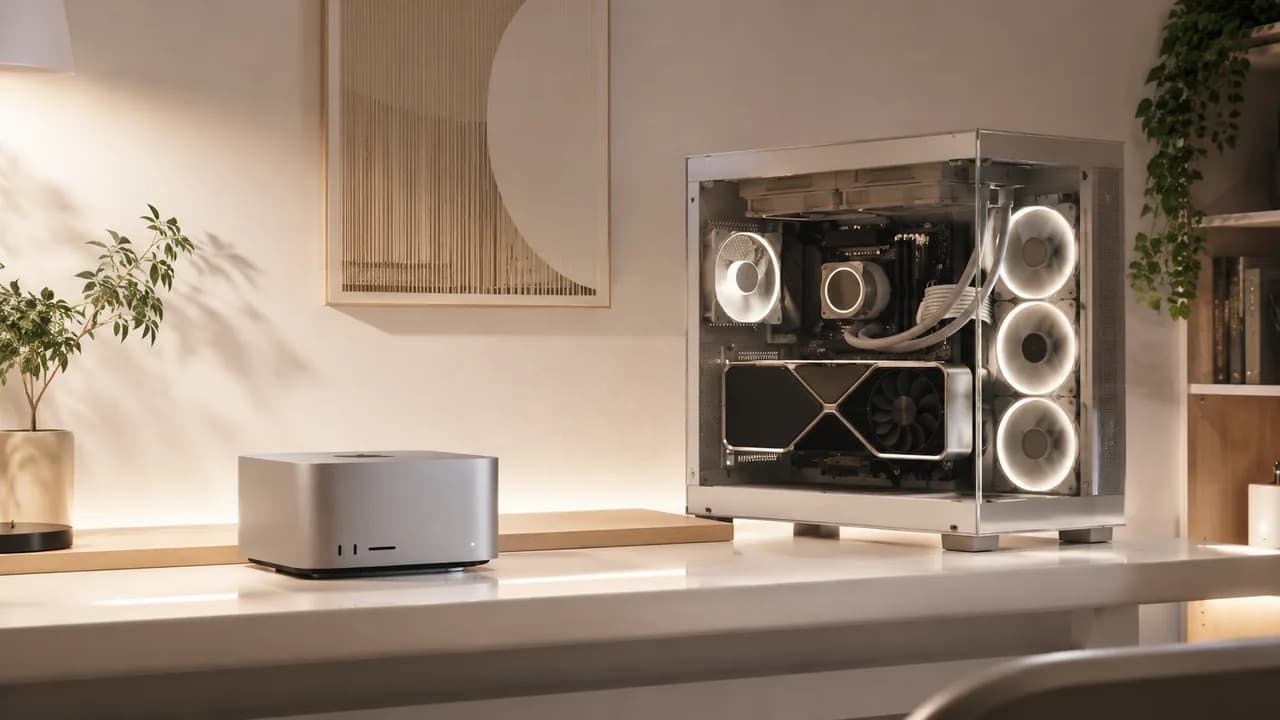
There is no single winner between an Apple Silicon Mac and an NVIDIA RTX 5090 for local AI work. The honest answer is that they are built on opposite philosophies, and which one is right for you depends entirely on whether your bottleneck is speed or memory. We ran both machines side by side, the M5 with 64GB of unified memory against the RTX 5090 with 32GB of VRAM, across inference and fine-tuning workloads, and broke down exactly where each one wins, where each one loses, and why.
Two Different Bets on What Matters Most
The RTX 5090 is a bet on raw bandwidth. It ships with 32GB of GDDR7 memory running at roughly 1,792 GB/s, which is close to three times the memory bandwidth of Apple's fastest chips. That bandwidth is what determines decode speed, since every generated token has to reload the model from memory once, so tokens per second is roughly bandwidth divided by model size. For anything that fits comfortably inside 32GB, nothing in the consumer space touches it.
The M5 with 64GB of unified memory is a bet on capacity. Apple's architecture lets the CPU, GPU, and Neural Engine all share the same memory pool, so there is no hard VRAM wall the way there is on a discrete GPU. A 64GB Mac can hold models that would simply refuse to load on a 32GB card, no matter how fast that card's memory is.
Token Speed: Where the RTX 5090 Wins Clearly
For any model that fits inside 32GB, the RTX 5090 is simply faster, and it is not close. In our own runs, the RTX 5090 landed in the range of 180 to 190 tokens per second on an 8B model, around 120 to 125 tokens per second on a 14B model, and roughly 60 tokens per second on a 32B model, numbers that line up closely with independent community benchmarks on the same hardware.
Apple Silicon is not slow, it is simply operating at a different pace. On our M5 test unit running the MLX framework, we saw roughly 95 to 110 tokens per second on 7B-class models, meaningfully behind the RTX 5090 on the same model class, but still fast enough for genuinely responsive interactive use.
The gap widens further at longer context lengths, where the 5090's bandwidth advantage compounds. When we pushed context past 32K tokens on both machines, the throughput gap in favor of the RTX 5090 widened noticeably compared to what we measured at shorter context, confirming that NVIDIA's raw memory bandwidth advantage matters more, not less, as context grows.
Where the Story Flips: Model Size
The moment a model no longer fits inside 32GB, the entire comparison inverts. A 70B parameter model at Q4 quantization needs roughly 35 to 38GB just for the weights, which is already more than the RTX 5090's total VRAM before accounting for context and overhead. The card can technically attempt it through aggressive Q3 quantization or CPU offloading, but both routes come with meaningful quality loss or a severe speed penalty.
A Mac with 64GB of unified memory simply loads the model and runs it. On our 64GB M5, we measured 70B models at roughly 18 to 22 tokens per second, genuinely usable for interactive work even though it trails the RTX 5090's speed on smaller models that fit its VRAM ceiling. The RTX 5090, by contrast, fell off a cliff in our testing once we pushed it to 70B, specifically because the model no longer fits in 32GB, and layers had to spill to much slower system RAM, tanking throughput well below what the raw GPU is capable of.
Fine-Tuning: A Clear Answer, Not a Close Call
Unlike inference, where the right answer depends on your specific model size, fine-tuning has a much more decisive verdict. If training or fine-tuning models is a real part of your workflow, the RTX 5090 and the CUDA ecosystem behind it are the practical choice, and multiple independent sources agree on this without much disagreement between them.
The reasoning comes down to ecosystem maturity, not raw hardware capability. When we ran a QLoRA fine-tuning pass on an 8B model using Unsloth on the RTX 5090, VRAM usage stayed comfortably under 16GB with plenty of headroom to spare on the card's 32GB. NVIDIA's training stack, PyTorch with CUDA, bitsandbytes, Flash Attention, DeepSpeed, and Unsloth, represents roughly fifteen years of continuous development specifically for GPU-accelerated training, and techniques like GRPO and DPO are CUDA-first with no mature Apple equivalent yet.
We also ran a comparable LoRA fine-tuning job on the M5 through mlx-lm, and it genuinely worked for straightforward instruction fine-tuning on a custom dataset. The 64GB of unified memory meant we could load a larger base model for fine-tuning than the 32GB card allowed. But the ecosystem around it was noticeably thinner in practice: no Unsloth support as of our testing, no DeepSpeed, and we ran into rough edges anywhere we tried to move beyond basic LoRA into full parameter fine-tuning or DPO.
What About Cost and Power
The 32GB RTX 5090 alone runs roughly $2,000 to $2,200 at MSRP, though the 2026 memory shortage has pushed street prices toward $2,900 and up. That is before accounting for the rest of the system it needs to run in: a capable CPU, sufficient RAM, a case with real airflow, and a power supply rated at 1000W or more, since the card alone draws around 575 watts under load. A full RTX 5090 workstation build typically lands well north of $3,500 once everything is accounted for.
A Mac with 64GB of unified memory is a complete system at the price point on the box, with no separate build required. Power draw was the clearest difference we measured: the M5 pulled somewhere in the 25 to 60 watt range under LLM inference load, while our RTX 5090 system pulled several hundred watts doing comparable work, a gap that adds up fast if either machine is running for extended sessions.
The Honest Verdict
There is no universal winner here, and any comparison that claims one is oversimplifying. The RTX 5090 32GB is the clear choice if your models stay at or below roughly 30B parameters, if raw tokens-per-second speed matters most to your workflow, or if fine-tuning and training are a real part of what you do. The CUDA ecosystem behind it is more mature, faster on models that fit, and better supported for anything beyond simple inference.
The M5 64GB is the clear choice if you regularly work with models larger than 30B parameters, if you want a single quiet machine without a custom PC build, or if power efficiency and simplicity matter more to you than squeezing out maximum tokens per second. Its unified memory architecture means it simply runs models that a 32GB card cannot load at all.
How Kovazu Thinks About This
At Kovazu, we build AI-powered products and help businesses figure out the right infrastructure for their actual workload, not the setup that sounds most impressive on paper. Local hardware decisions like this one matter for teams doing genuine on-premise AI development, but for most production AI products, the right architecture question usually is not Mac versus NVIDIA at all. It is when local inference makes sense versus when a cloud API is the more practical, more scalable choice.
If you are trying to figure out the right AI infrastructure for what you are actually building, whether that is local hardware, cloud APIs, or some mix of both, that is exactly the kind of decision we help businesses work through. Let's talk at Kovazu.
The Bottom Line
The M5 64GB and the RTX 5090 32GB are not competing for the same job. The RTX 5090 wins decisively on speed for any model that fits its memory, and it remains the only serious choice if fine-tuning is part of your workflow. The M5 wins on capacity, letting you run models that a 32GB card physically cannot hold, in a quieter, more power-efficient package. The right pick depends entirely on which constraint you are actually up against: raw speed, or how big a model you need to run.
Written by
Ritvik NairAI Developer & Technology Writer
Ritvik Nair is passionate about artificial intelligence, automation, software development, and the technologies shaping the future. He enjoys exploring new AI models, developer tools, and emerging innovations, turning complex technical concepts into content that's clear, practical, and engaging. Whether he's writing about large language models, productivity tools, or the latest breakthroughs in tech, Ritvik focuses on helping readers understand not just how technology works, but how it can be applied in the real world. He believes great tech content should be insightful, accessible, and genuinely useful.
Keep reading
 Artificial Intelligence
AI Desktop Agents: The Rise of Computer-Use AI in 2026
AI agents are moving beyond chat to operate computers, apps, and workflows themselves. Here's what Grok Bot, Claude, and OpenAI's computer-use agents mean for desktop automation in 2026.
 Artificial Intelligence
How to Use AI in Everyday Life: 30 Practical Ideas
Discover 30 practical ways to use AI in everyday life - from work, studying, and travel to writing, productivity, and smartphone tasks. Learn how AI can save time, boost creativity, and simplify your daily routine.
 Artificial Intelligence
Android 17 & Gemma 4: The Future of AI on Android Phones
Android 17 and Gemma 4 bring powerful on-device AI to phones and laptops. Learn how offline AI, NPUs, privacy, and local inference are changing app development and user experiences.